12 Hottest Nano Banana Pro Prompts (Copy & Paste)
Nano Banana Pro can generate 4K images, edit photos with identity accuracy, and handle detailed layouts like manga spreads and technical diagrams. Use these copy-and-paste prompts to start creating instantly!
What is Nano Banana Pro? (Gemini 3 Pro Image Model Overview)
A Major Upgrade From the Original Nano Banana
Nano Banana Pro is Google’s upgraded image model based on Gemini 3 Pro Image, offering cleaner text rendering, native 4K output, better realism, and more consistent characters across scenes.
Key Features of Nano Banana Pro
Native 4K Resolution & Studio-Ready Output
Generate ultra-high fidelity images up to native 4K resolution, ready for marketing, print and professional use without needing upscaling.
Clean, Multilingual Text Rendering
Produce legible typography in multiple languages directly within images—ideal for posters, diagrams or localized content.
Multi-Image Consistency with Up To 14 Inputs
Combine up to 14 reference images and retain consistent characters or objects across scenes, enabling complex compositions.
Context-Aware Generation Using Real-World Knowledge
Built on the Gemini 3 Pro image model, the system leverages real-world information (recipes, weather, facts) for accurate visuals.
Precise Creative Controls: Lighting, Camera & Editing
Allows specification of camera angle, depth-of-field, lighting changes (day→night), localised edits and material textures.
Wide Style Support: Realism, Anime, Branding & Infographics
Supports diverse aesthetic styles—from photorealistic portraits and product photography to stylised anime and infographic layouts.
Hottest Nano Banana Pro Text-to-Image Prompts
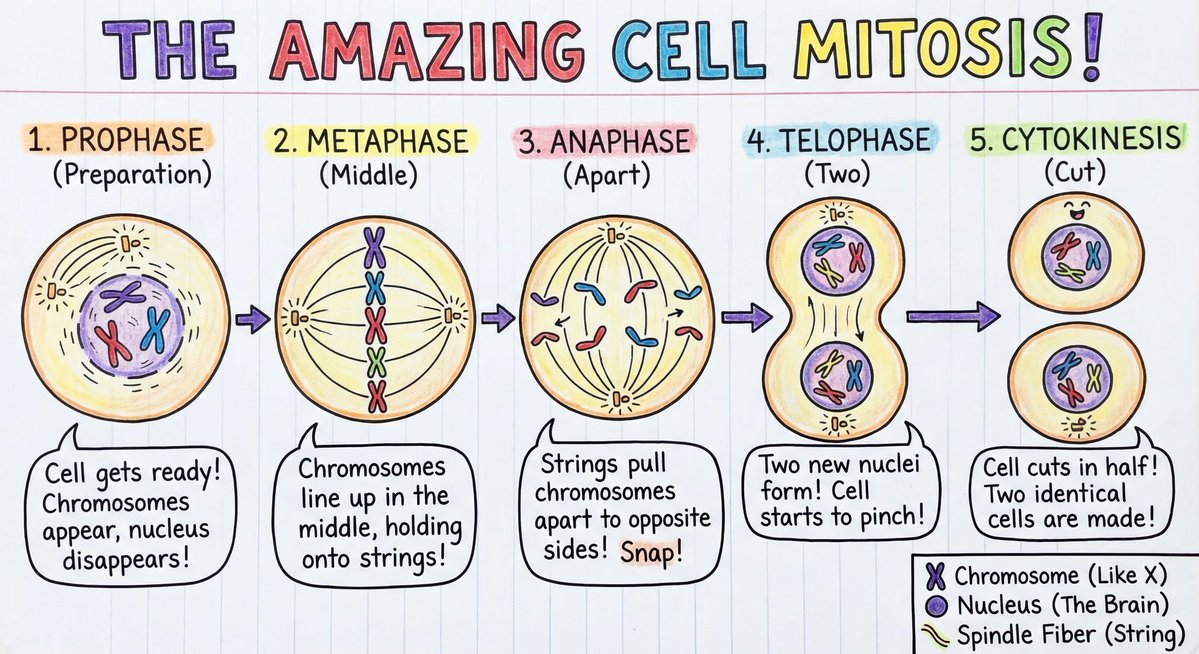
Educational Diagram — Simple Mitosis for Students
This prompt highlights Nano Banana Pro’s ability to generate educational graphics with clean labels and readable text, ideal for classrooms, infographics, and scientific visuals. ➡️ Prompt:Make me a detailed diagram showing how mitosis works,, with annotations and visual explanations, organized at a primary school level.
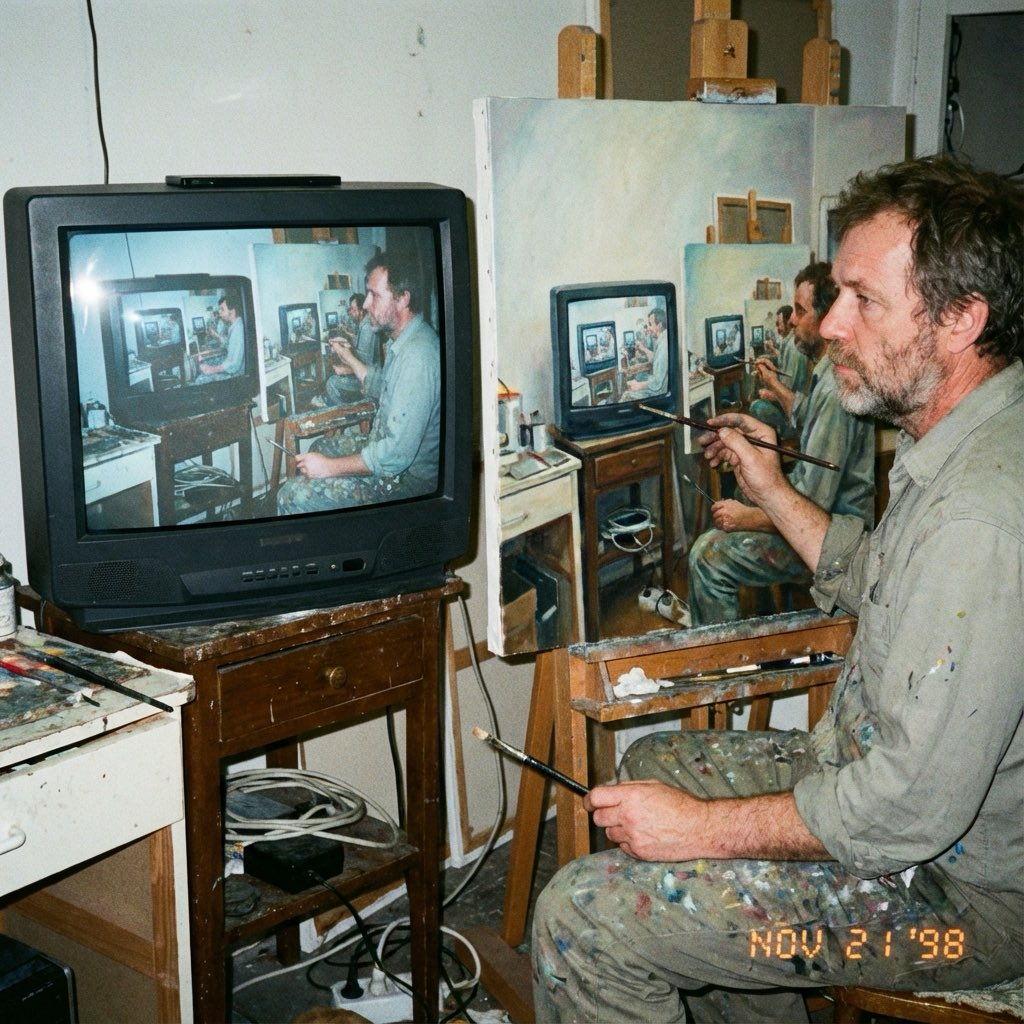
Recursive Artist Painting the Same Scene
A complex recursive concept that tests Nano Banana Pro’s ability to maintain visual logic, perspective, and era-specific texture—especially analog 90s aesthetics. ➡️ Prompt:Amateur photograph from 1998 of a middle-aged artist copying an image by hand from a computer screen to an oil painting on stretched canvas, but the image is itself the photo of the artist painting the recursive image.
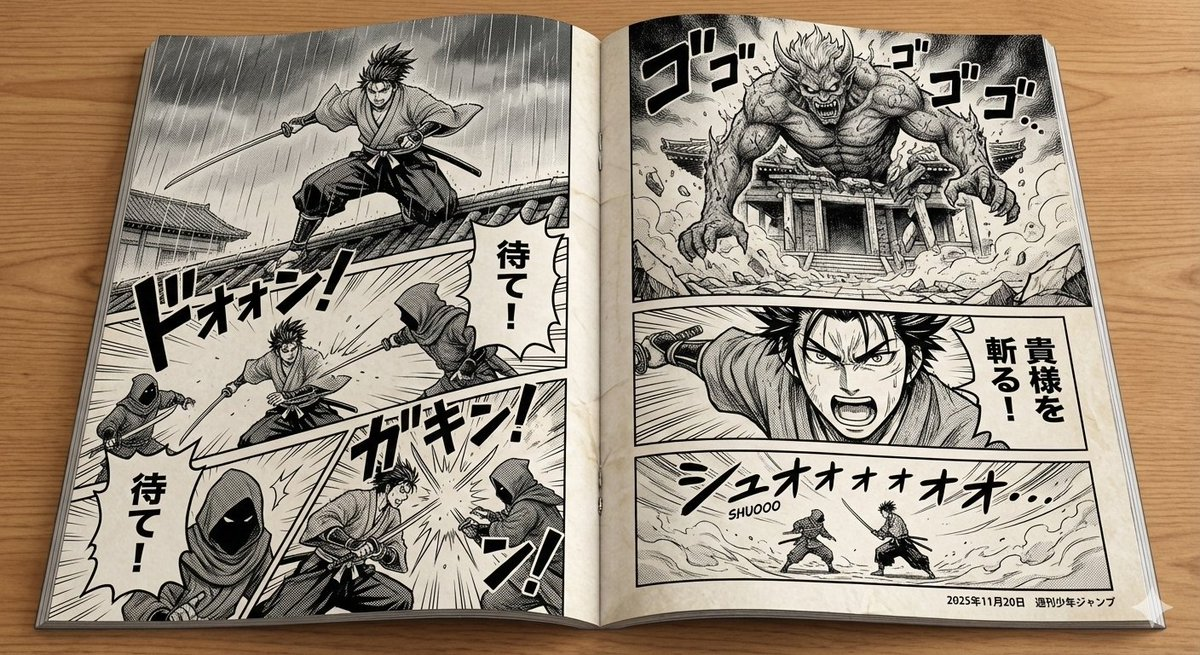
Authentic Black-and-White Manga Spread
This prompt showcases Nano Banana Pro’s ability to generate complex multi-panel layouts and clean black-and-white line art suitable for manga-style storytelling. It highlights structured composition, typography, and panel transitions—ideal for testing text rendering, dynamic framing, and narrative pacing in high-resolution layouts. ➡️ Prompt:style panels arranged in a dynamic layout, resembling a professionally printed Japanese manga. The style should be black-and-white with bold ink lines, screen tones, and expressive character art. Include speech bubbles, Japanese sound effects (e.g., ドン!, ゴゴゴゴ), and panel transitions that convey action, emotion, and pacing. The left and right pages should flow together as part of a single scene or chapter. Use traditional manga framing: close-ups, wide shots, diagonal panels, and dramatic angles. The overall look should feel authentic, like a spread from a real manga magazine.
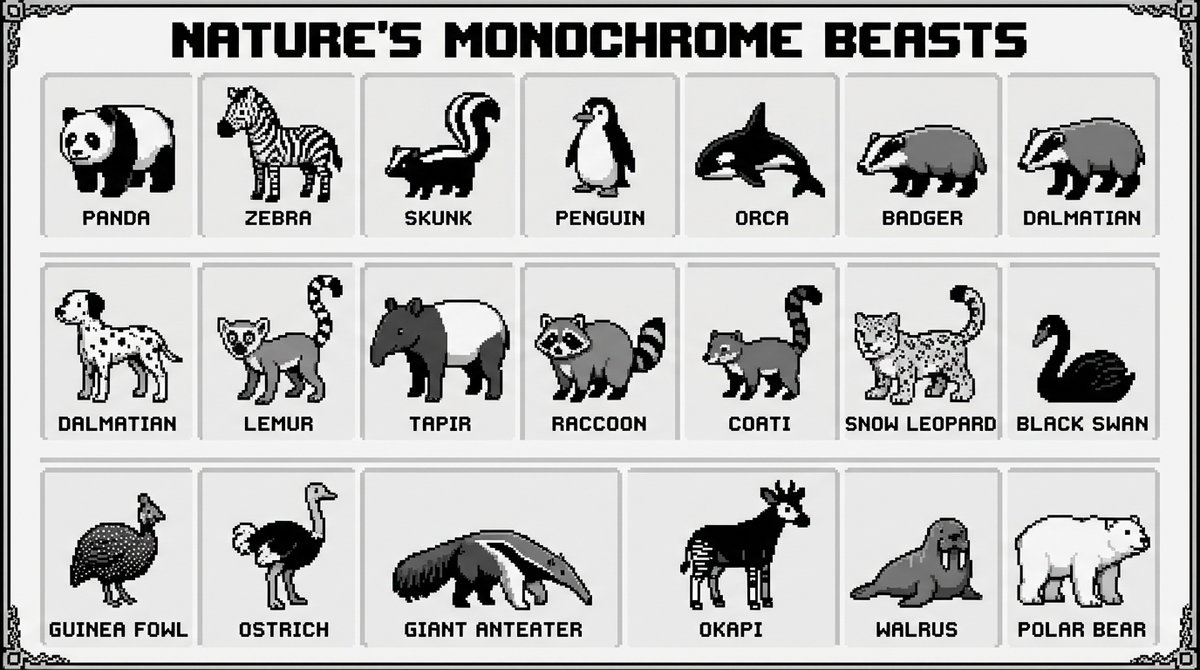
Retro 16-Bit Pixel Art Animal Encyclopedia
This prompt highlights Nano Banana Pro’s ability to produce clean 16-bit pixel art with a structured grid layout and accurate labeled text. It's ideal for testing text rendering clarity, retro game aesthetics, character consistency, and organized composition suitable for educational or collectible poster formats. ➡️ Prompt: A 16-bit pixel art poster showcasing all the black and white animals of nature. The composition uses a neat grid layout, reminiscent of a retro video game character selection screen or an encyclopedia page. Each animal is labeled with its English name in clear retro pixel font. The background is clean white or light gray, with vivid pixel details, exuding a retro aesthetic and high-quality production.
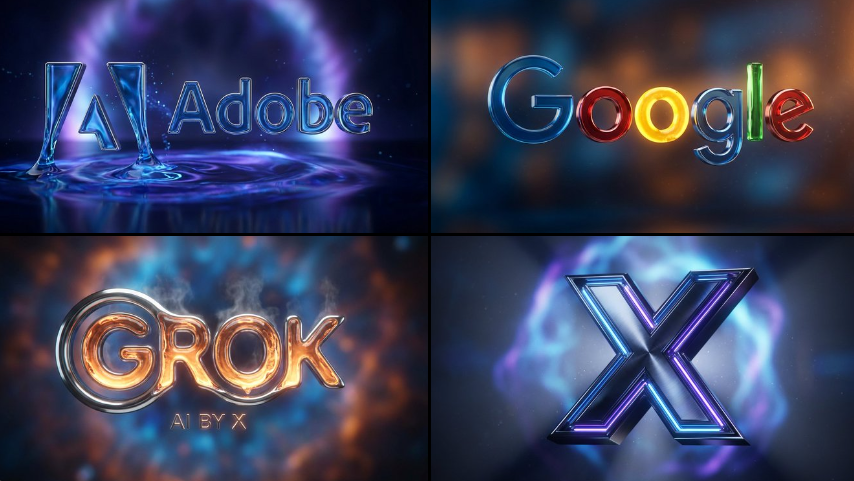
Cinematic 3D Logo With Auto-Assigned Brand Textures
This prompt showcases Nano Banana Pro’s ability to interpret brand identity and automatically assign suitable 3D materials such as neon, chrome, glass, or liquid textures. It highlights commercial-grade lighting, realistic depth of field, and product-ad-style presentation—ideal for logo reveals, motion graphics frames, and polished branding assets. ➡️ Prompt: Create a cinematic 3D logo for [BRAND] Automatically assign a realistic texture (glass, fire, neon, chrome, liquid, ice, lava, wood, or cloud) based on the brand style. Use dramatic lighting, depth of field, and a soft glowing background. Style: product ad / reveal shot, cinematic tone, ultra HD.
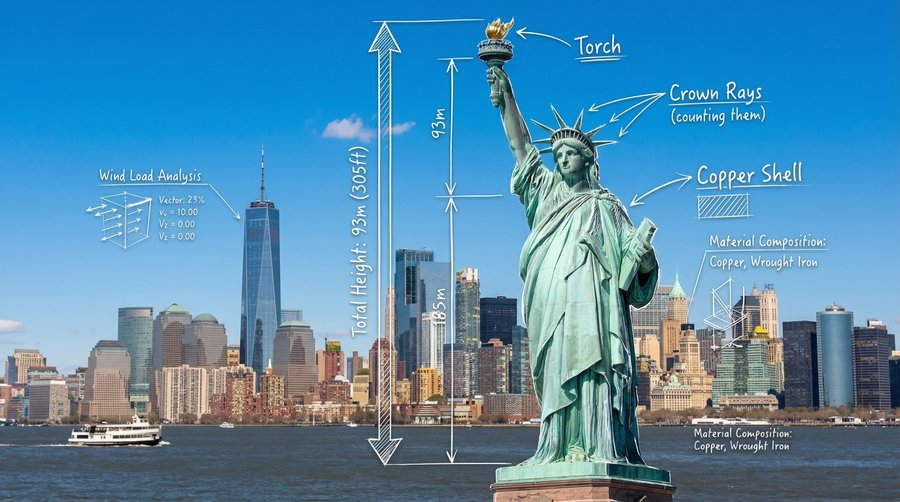
Photoreal Landscape With AR-Style Technical Diagram Overlay
Combines photorealistic landmarks with blueprint-style annotations, making it ideal for educational visuals, engineering breakdowns, city documentation, or infographic-style tourism content. Great for testing Nano Banana Pro’s text rendering accuracy, perspective-aligned overlays, and mixed media composition. ➡️ Prompt: A photorealistic wide-angle landscape shot of the Statue of Liberty with the New York City skyline and harbor in the background. Superimposed on the scene is a white, hand-drawn augmented reality technical overlay. Features include: 1. Sketchy white leader lines pointing to key details like the "Torch," "Crown Rays," and "Copper Shell" with handwritten text labels. 2. Large dimensional vertical measurement arrows indicating the total height from ground to torch. 3. Small floating wireframe icons showing wind load data and material composition. Aesthetic: Structural engineering analysis, F1 broadcast graphics style, bright outdoor daylight, architectural blueprint overlay.
Hottest Nano Banana Pro Prompts for Image Editing
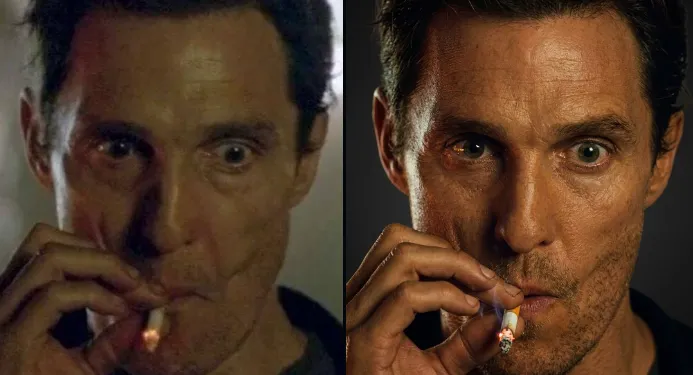
Clean 4K Upscale Based on Uploaded Photo
This prompt highlights Nano Banana Pro’s ability to enhance resolution while preserving facial identity, age, skin tone, and natural image details. It’s suitable for professional profile photos, social media assets, or archival portraits that need high-quality output without stylistic alteration or character drift. ➡️ Prompt: Upscale this picture to 4K resolution.
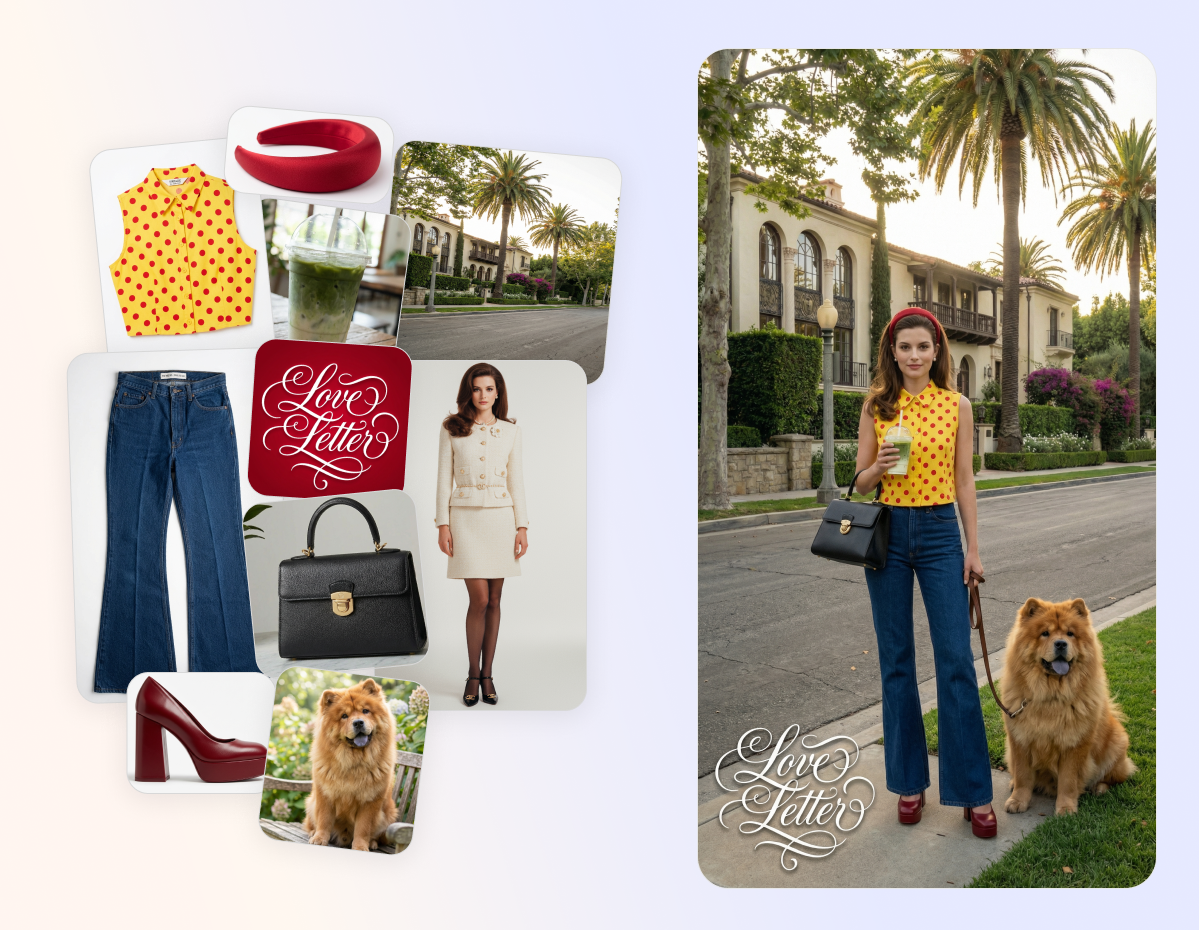
Multi-Image Editorial Fashion Shot With Brand Overlay
This prompt demonstrates Nano Banana Pro’s advanced composition capabilities, allowing you to combine up to 14 reference images to merge outfits, backgrounds, branding elements, or poses into a polished final result. It preserves aesthetics, color palettes, and on-image typography while maintaining identity consistency—delivering production-ready fashion visuals in minutes. ➡️ Prompt: Editorial style photo, female model is wearing jeans, yellow top with polka dots, headband, red heels, black bag on her arm. She is holding an iced matcha latte in one hand and in the other hand she is holding a leash on a chow chow dog. She is standing in front of the house in Beverly Hills, looking into the camera. Respect the overall aesthetic and color palette of the photo with the house. There is a white logo "Love Letters" with 10% opacity shadow in the lower left corner.
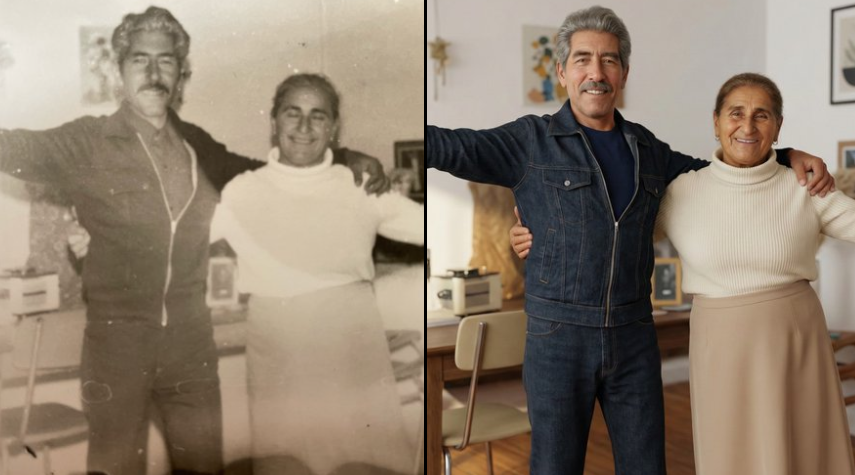
Ultra-Realistic Vintage Photo Recreation
This prompt showcases Nano Banana Pro’s ability to restore and modernize old photos while preserving facial identity and emotional authenticity. It’s ideal for high-fidelity face consistency, modern lighting upgrades, clean digital restoration, and transforming historical images into polished 4K portraits without losing their original character. ➡️ Prompt: Ultra-realistic recreation of an old vintage photo, keeping the same original face (99% likeness, no alteration). Transform into a modern high-quality digital portrait with vibrant updated colors, smooth realistic skin textures, and natural lighting. The outfit and background should be upgraded into a clean, modern aesthetic while preserving the authenticity of the original pose and expression.
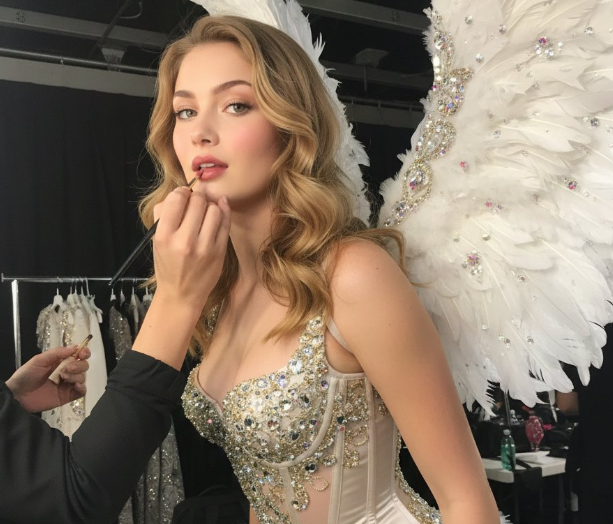
Glamorous Backstage Photoshoot (Victoria’s Secret Style)
Ideal for fashion retouching and portrait enhancement using Nano Banana Pro. This prompt focuses on identity-preserving face accuracy, cinematic runway lighting, and high-end editorial aesthetics inspired by backstage fashion shows. ➡️ Prompt: Create a glamorous photoshoot in the style of Victoria’s Secret. A young woman attached in the uploaded reference image (Keep the face of the person 100% accurate from the reference image) stands almost sideways, slightly bent forward, during the final preparation for the show. Makeup artists apply lipstick to her (only her hands are visible in the frame). She is wearing a corset decorated with beaded embroidery and crystals with a short fluffy skirt, as well as large feather wings. The image has a “backstage” effect.
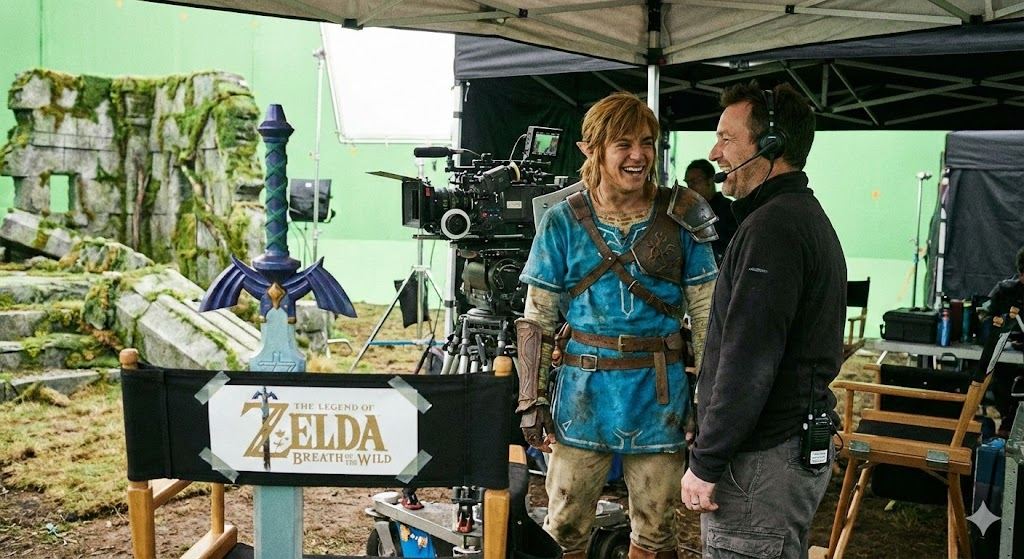
Backstage Photo for a Film Scene
Ideal for cinematic behind-the-scenes photos where costume design, lighting rigs, and production environments remain realistic while keeping the subject unchanged. ➡️ Prompt: Backstage photo of the [Legend of Zelda: Breath of the Wild] movie.
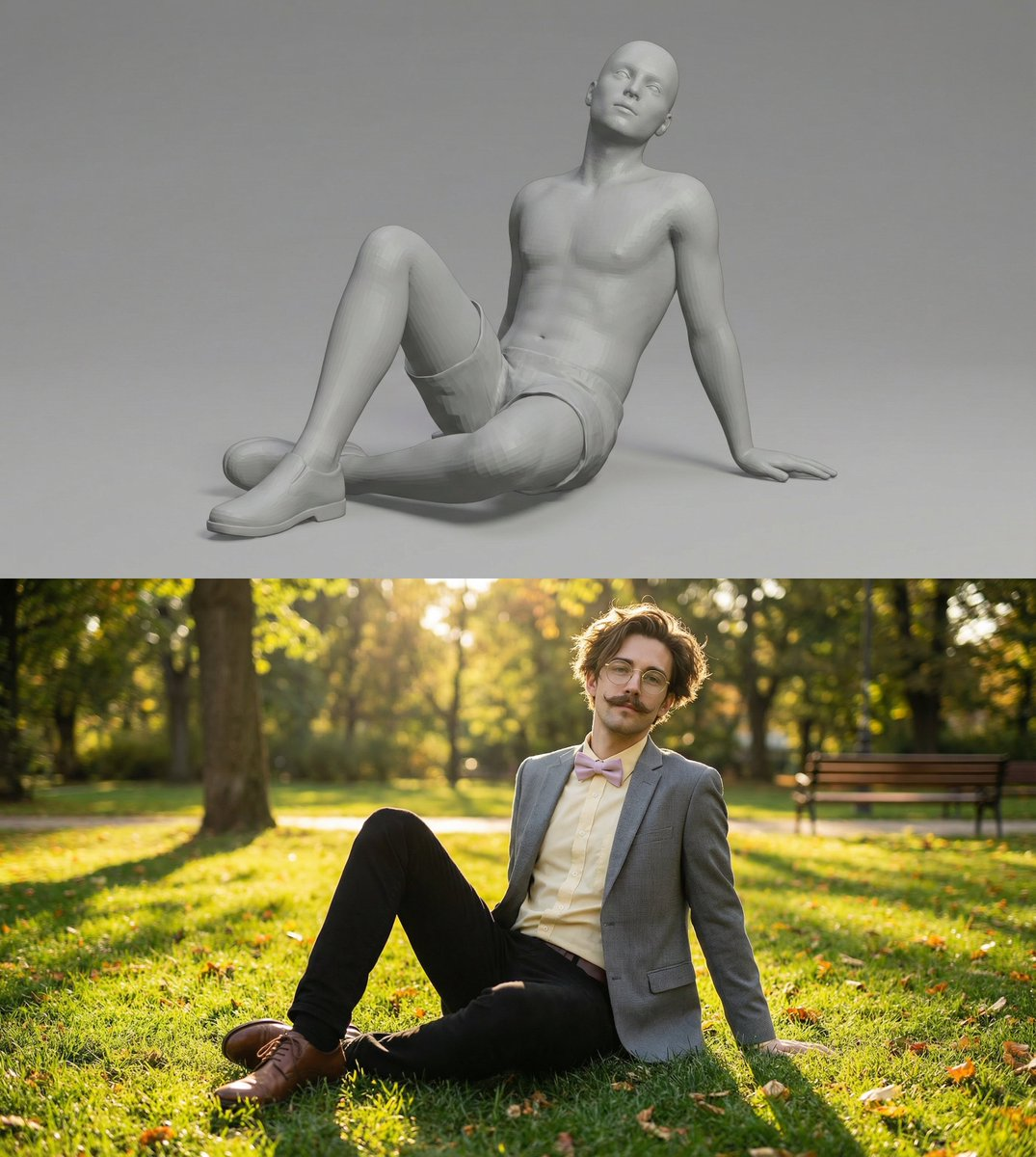
Scene Recreation With Identical Pose in a New Environment
Useful for testing Nano Banana Pro’s scene control and pose preservation capabilities by placing a referenced subject into a new environment while keeping body position, silhouette, and natural lighting consistent. Ideal for lifestyle photography, travel scenes, and identity-safe compositing. ➡️ Prompt: place this man in the exact same position in a park soaking up the sun, realistic photo
Prompt Tips for Better Nano Banana Pro Results
Specify Subject, Style and Output Format
Start your prompt with a concrete subject (noun or name), followed by style details, lighting, composition, and end with output format (e.g., “4K, 16:9, vertical poster”). A clear structure means Nano Banana Pro interprets your request more accurately.
Use Camera, Lighting and Material Keywords
Include modern photography and design terms such as “35mm lens, shallow depth of field, rim light, glossy fabric, metallic texture” to guide Nano Banana Pro into producing professional-grade visuals with realistic materials and lighting.
Lock Identity and Details for Image Editing
When editing photos, include explicit instructions like “keep face 100% accurate, do not change skin tone or gender, maintain pose” so Nano Banana Pro preserves the subject’s identity while applying enhancements or changes.
Add Negative Prompts to Avoid Artifacts
State what you do not want—examples: “no extra limbs, no blurry text, no watermark, no distorted hands”—to help Nano Banana Pro avoid common AI-generation errors and improve image clarity.
Define Layout, Composition and Hierarchy
For complex visuals like infographics or multi-panel scenes, specify layout rules such as “grid layout, centered title, left-aligned icons, white margins” so Nano Banana Pro organizes elements logically and makes text readable.